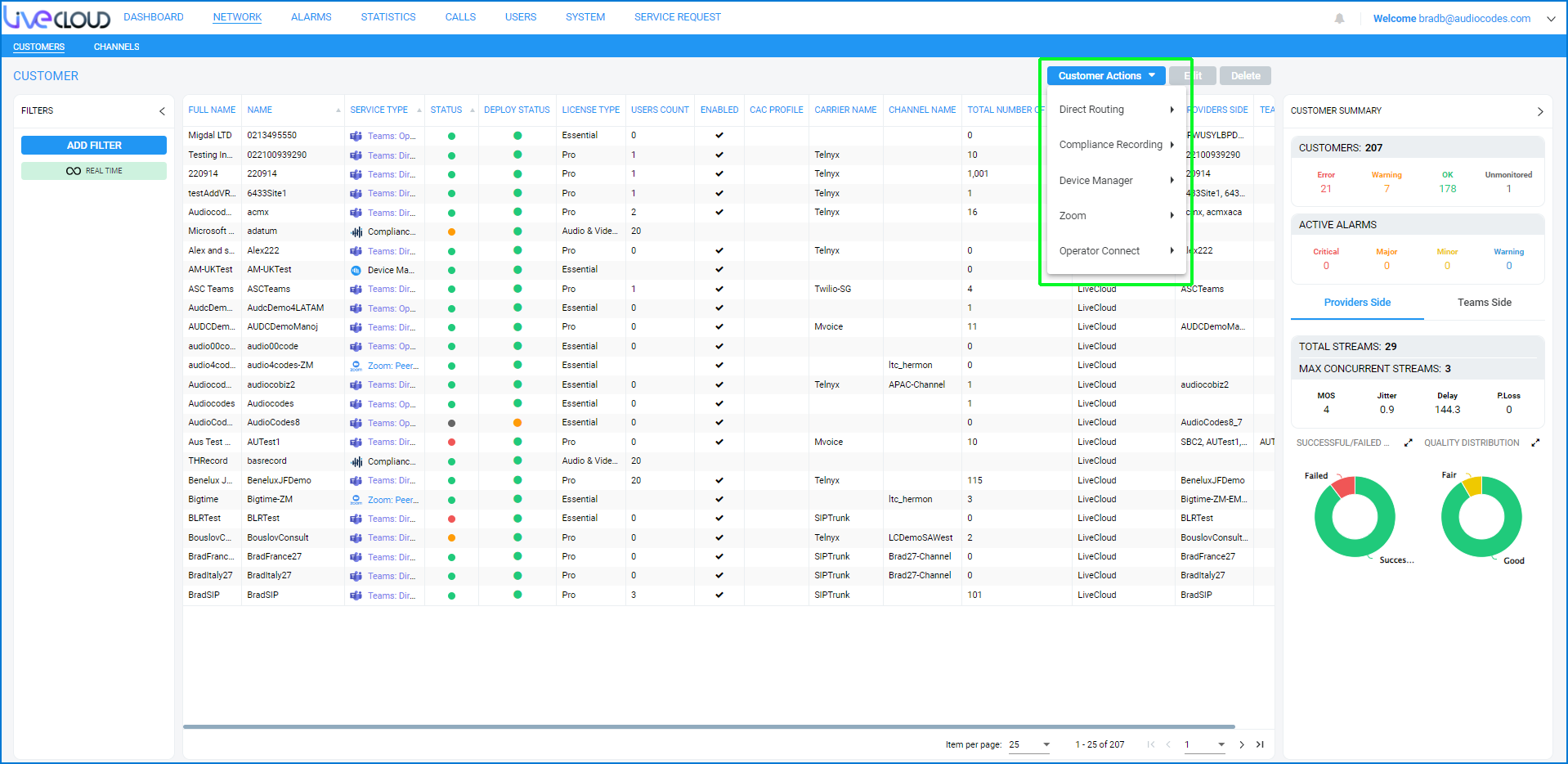
Customer Action Drop-down Menus
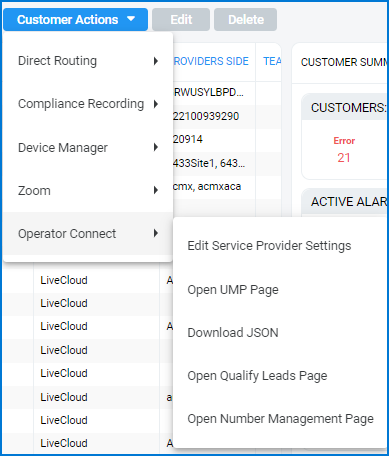
Customer Action drop-down menus have been segmented according to Service Type.
|
■
|
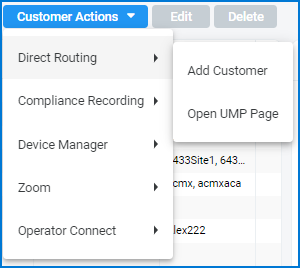
The Direct Routing sub-menu includes the following options: |
|
●
|
Add Customer: Opens the Onboarding Wizard |
|
●
|
Open UMP Page: Opens the Main Tenant portal M365 Users page |
|
■
|
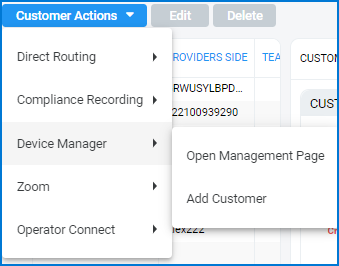
The Device Manager sub-menu includes the following options: |
|
●
|
Open Management Page: Opens the Device Manager Pro dashboard. |
|
●
|
Add Customer: Opens the Onboarding form. |
|
■
|
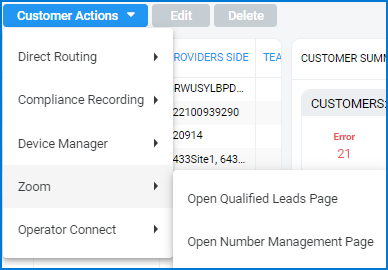
The Zoom sub-menu includes the following options: |
|
●
|
Opens the Qualified Leads page for managing new leads and existing customers. |
|
●
|
Opens the Number Management page for managing phone number assignments. |
|
■
|
The Operator Connect sub-menu includes the following options: |
|
●
|
Edit Service Provider Settings: Opens the Service Provider Contact Details and market offers. |
|
●
|
Open UMP page: Opens the Main Tenant portal M365 Users page. |
|
●
|
Download JSON: Downloads the JSON configuration file including the Service Provider settings. |
|
●
|
Open Qualify Leads page: Opens the Qualify Leads page for managing new leads and existing customers. |
|
●
|
Open Number Management Page: Opens the Number Management page for managing phone number assignments. |